

WhoNews

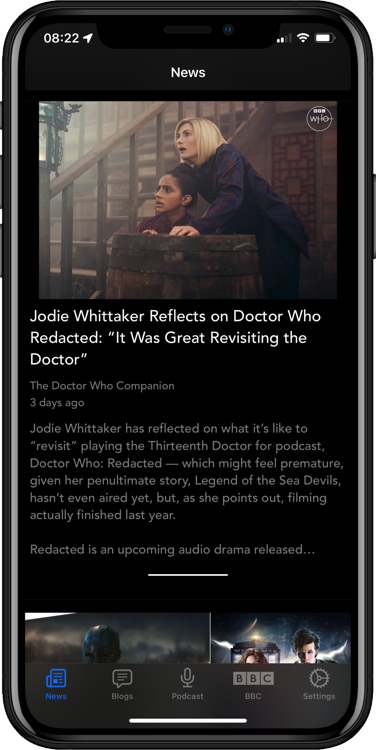
For the very latest Doctor Who news on your iPhone/iPad

Sidebar
Menu
Latest News:
Stacks Image 4

EyeStalk iPhone App Released

EyeStalk is now available at the App Store for $1.99/£1.49 and can be downloaded here

Using advanced image manipulation techniques EyeStalk transforms photos to give you a through the eyestalk view as seen by the Doctor's deadliest enemy.

IMG_0826
EyeStalk has the following features:

  • Four photo styles based on the TV series imagery:
  • Power/Mk3 - Black and White with 60's style scan lines
  • Victory - Blue monochrome with clear centre and blurred hex regions
  • Doomsday - Blue monochrome with bump distortion in centre and blurred hex regions
  • Paradigm - Light blue monochrome with bump distortion centre and overlaid sight

  • Take photos direct from EyeStalk or choose pictures from photo library
  • Change styles by swiping left and right
  • Use front and rear cameras, control the flash direct from EyeStalk.
  • Share images direct to Facebook, Twitter, Flicker, Evernote, Email, SMS/iMessage
  • Live image preview overlaid with chosen image style

EyeStalk has been tested on the iPhone 3GS, iPhone 4,4S, Touch (4th Generation), iPad2 and iPad3

For example images visit
www.eyestalk.co.uk

WhoNews Notification Tips

Checking the reviews of WhoNews this morning on iTunes, I’d received a 1 star review. The review said “Can't stand the constant updates. Receiving updates even after all updates disabled. Uninstalling product”

This really is a shame as the user hadn’t contacted me to see if I could help but had taken the time to write a negative review. WhoNews has a “Contact Developer” button on the Settings tab, so nothing could have been easier.

So I thought I’d give a little explanation on how to configure WhoNews notifications. Firstly you can configure which notifications you receive on the Settings tab but you need to be in connected to the internet as WhoNews contacts the notification server to tell it what your preferences are. It does this the instant the you change a setting.

Once you’ve changed a setting it may take a little while to stop receiving those notifications as they may already be queued in the Apple Push Notification System.

Whenever WhoNews starts it resends your settings to the Notification server just in case your app and the server are out of sync. So if your notification settings seem incorrect, try killing WhoNews and then starting it again.

Don’t forget if you want to disable sounds, change the way notifications are displayed or disable ALL notifications from WhoNews you have to do this via your iOS device Settings -> Notifications -> WhoNews which is outside WhoNews itself.

Above all if you have a problem with WhoNews please just contact me, I will always strive to help. WhoNews has received over 70 5 Star reviews from around the world and it is a record I’d like to maintain if given the chance.

Thanks

Paul.

WhoNews Notification Update

The WhoNews notification issue where repeated notifications were being sent has been identified as a performance issue on the server. I’ve implemented a fix and will be testing today, so I apologise for any duplicate notifications you may receive today.

*Update*

The fix appears to be working well and normal service has been resumed.
Menu